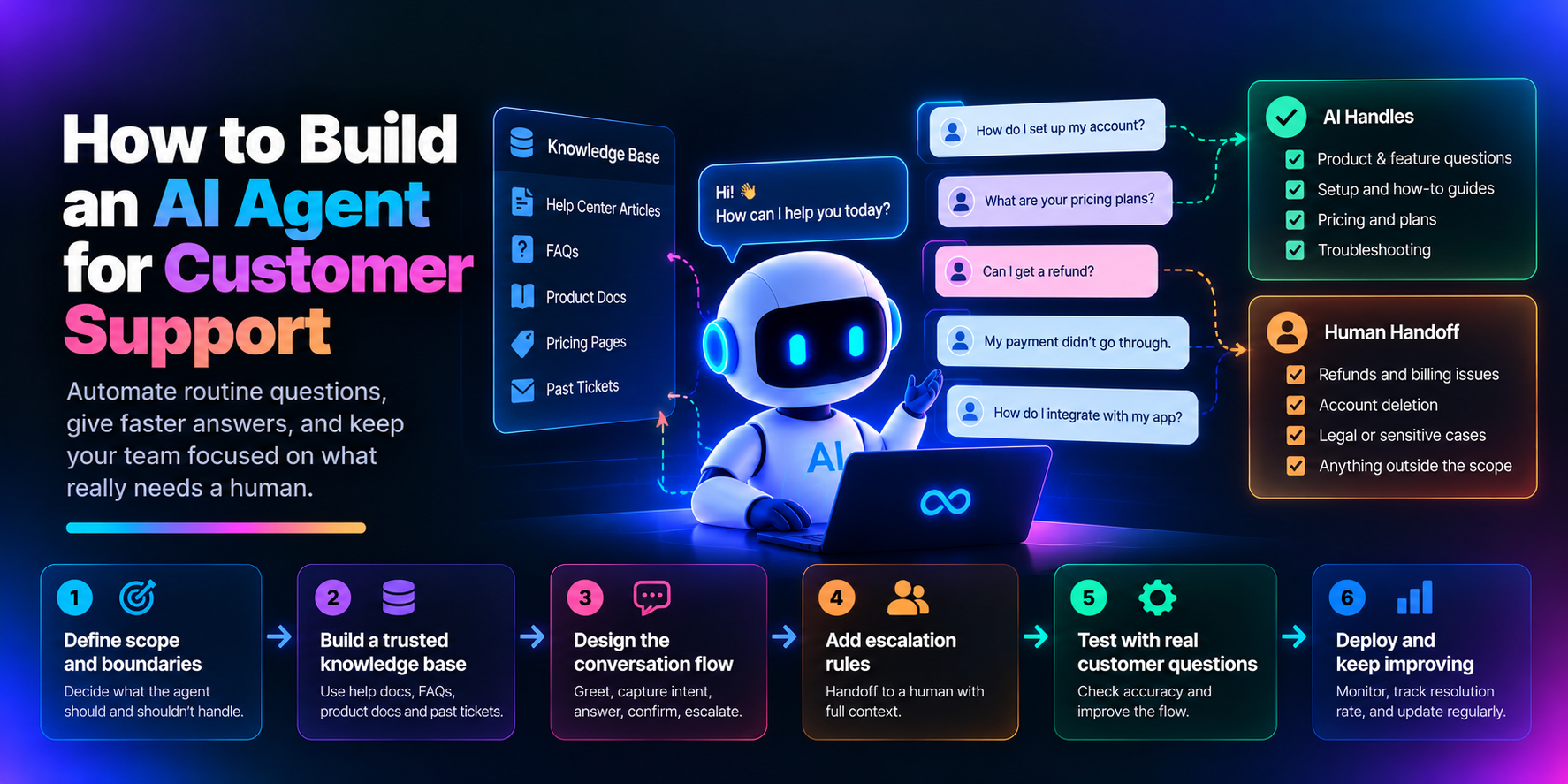
You can build an AI customer support agent by combining a tight scope, a retrieval layer over a knowledge base you trust, a deliberate conversation flow, and a reliable path to a human. The aim isn't to replace the support team. It's to automate routine questions, shorten response times, and keep people available for work that needs judgment.
This post treats the agent as a small system rather than a prompt. If you're a founder, a support lead, or an engineer asked to "add AI to support," it walks through the components in the order you'd build them.
Why Does "Add AI to Support" Go Wrong So Often?
Because the request arrives with pressure and no architecture. Gartner surveyed 321 customer service and support leaders in October 2025, and 91% reported executive pressure to implement AI in 2026, according to a summary of the survey. Under that kind of pressure, the fastest path is to connect a model to a chat widget and ship.
That works until the first real ticket that isn't in the demo script. And customers have a firm expectation about what happens next: in Gartner's 2026 survey of 3,566 customers, 87% said companies using generative AI for customer service must provide access to a human agent (Gartner). So the design target isn't maximum automation. It's accurate answers where the agent is strong and a clean handoff everywhere else.
What Are the Components of a Support Agent?
A useful mental model has six parts: a scope definition, a knowledge layer, a conversation flow, an escalation path, an evaluation set, and monitoring. Each one is small. The reliability comes from how they connect.
The scope sets the boundaries. The knowledge layer supplies facts. The flow decides what happens next. Escalation catches everything the agent shouldn't or can't handle. Evaluation tells you whether any of it works, and monitoring tells you whether it keeps working.
Define Scope as Configuration, Not Vibes
A vague scope produces vague answers, so write the boundaries down in a form you can review and version. Four decisions matter: what the agent answers, what it must never answer, which actions it can take, and when it escalates.
# Illustrative example, not a required schema
agent: support-agent
answers:
  - pricing
  - features
  - setup
never_answers:
  - refunds
  - account_deletion
  - legal
actions:
  - create_ticket
  - hand_off_to_human
escalate_when:
  - topic in never_answers
  - sentiment is distressed
  - retrieval_confidence is low
The matching instruction is just as plain: you are a support agent for [product], answer questions about [topics], do not answer [exclusions], escalate [cases] to a human. Start narrower than feels comfortable. A small scope handled well earns more trust than a broad one handled unevenly, and it's easier to widen later than to walk back.
Build the Knowledge Layer Like You Mean It
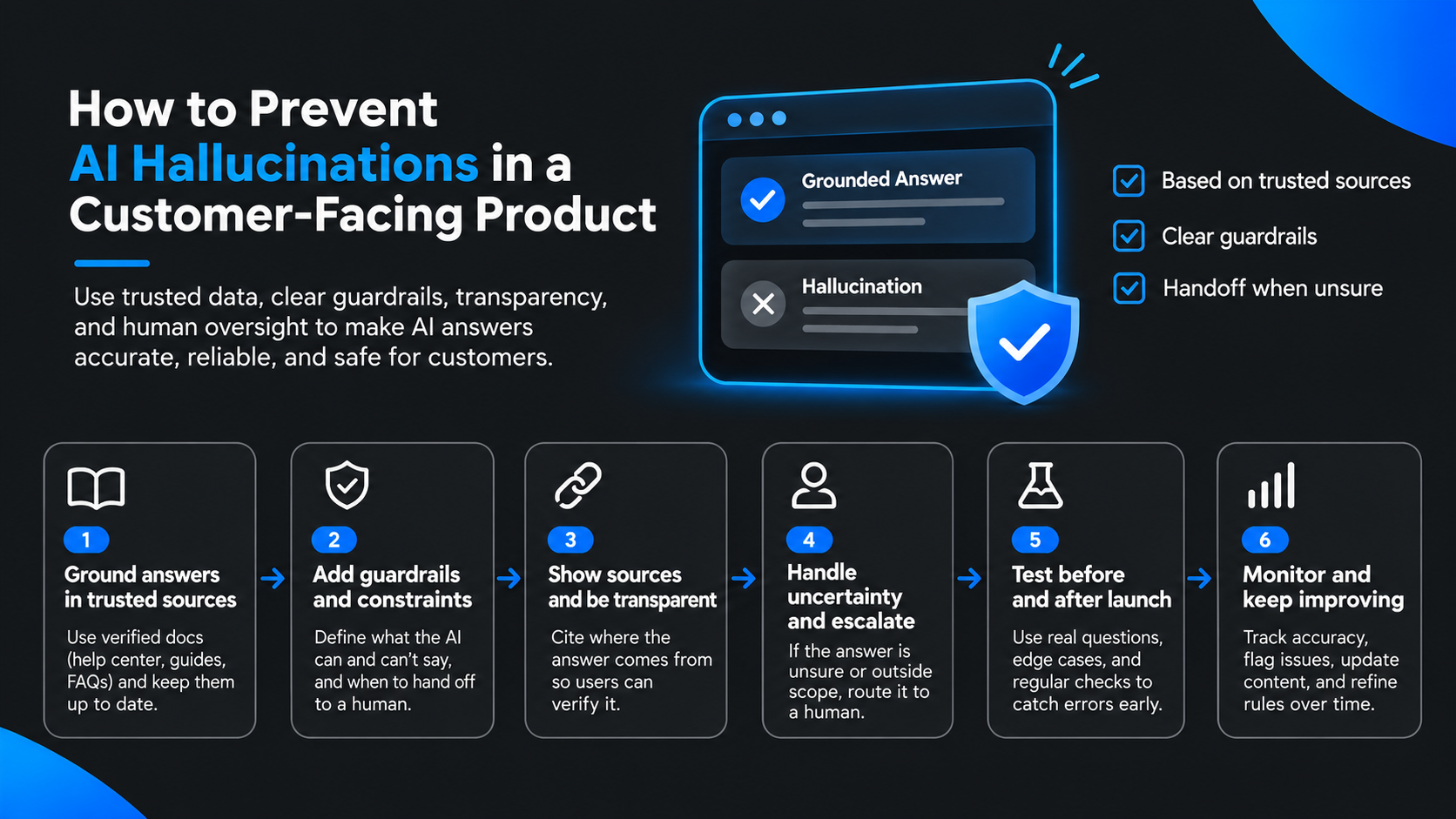
An agent is only as good as what it can retrieve. Many reported hallucinations in support turn out to be content problems: a stale article, two pages that disagree, or a missing page for a common question.
Good sources include help center articles, FAQs, product docs, pricing pages, and past resolved tickets with personal data removed. Keep out outdated content, internal-only notes, and anything sensitive. Then give the content structure: tag by topic, link related articles, keep it current, and review it quarterly. If you chunk and index documents for retrieval, store the source and last-updated date with each chunk so you can trace any answer back to a page a human can fix.
Ownership matters as much as tooling. A named person or team should be responsible for the content, because retrieval can't know that a policy changed unless the source does.
Model the Conversation as a Flow
Treat the interaction as a sequence of states instead of an open-ended chat: greet, capture intent, ask a clarifying question when the request is ambiguous, retrieve an answer, confirm it resolved the issue, and escalate if it didn't.
The clarifying state deserves attention. "My payment didn't go through" might be a declined card, a missing invoice, or a duplicate charge, and each maps to a different article or a different owner. One short question costs a few seconds. A wrong confident answer costs a ticket and some goodwill. Designing the flow this way also makes behavior easier to test, because each state has an expected outcome.
Make Escalation a First-Class Path
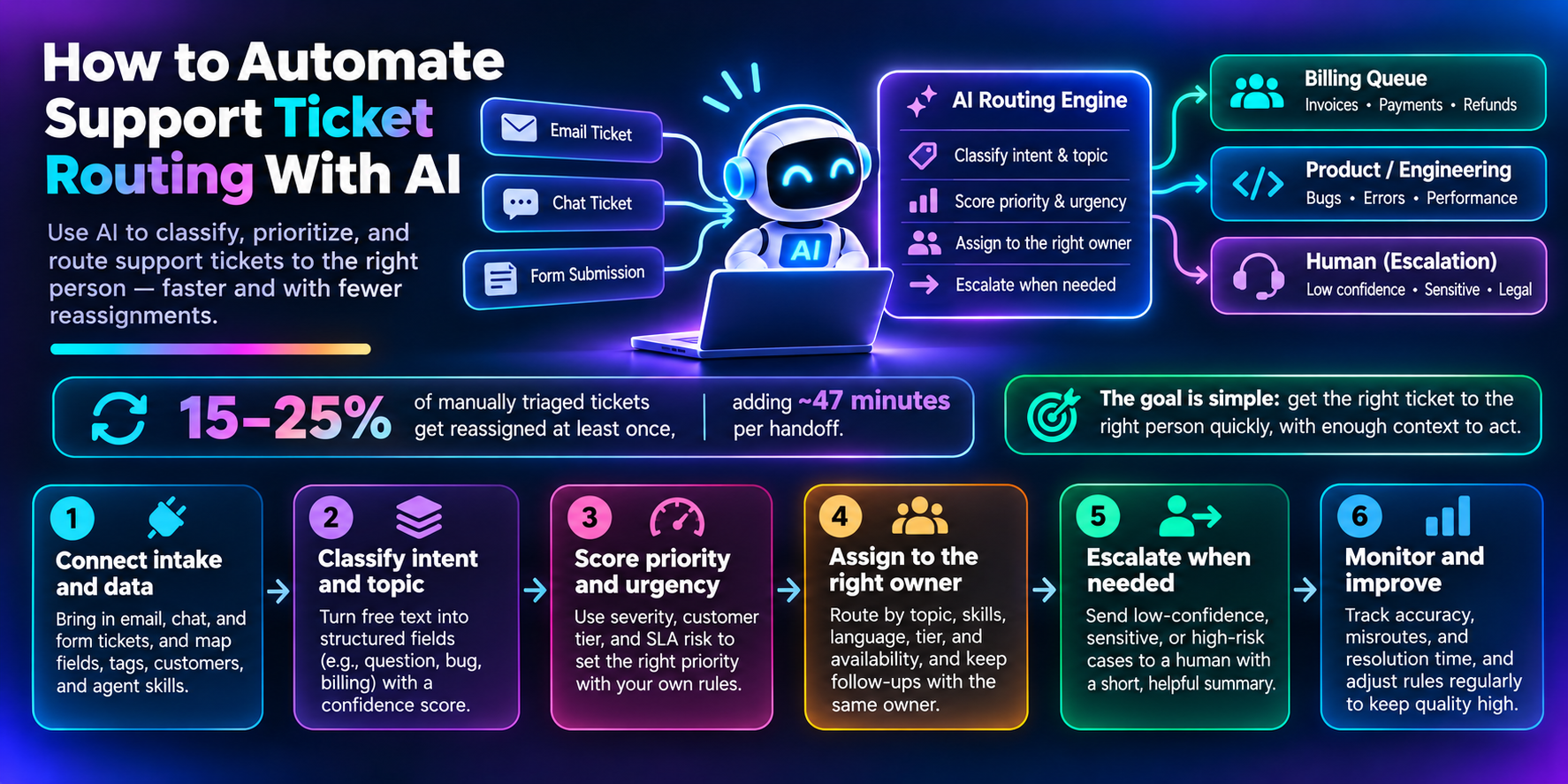
Escalation is where support agents earn or lose trust, so build it before polishing answers. Decide what always routes to a person: billing issues, account deletion, legal questions, emotional or sensitive situations, and low-confidence answers.
Then define what travels with the handoff. A good payload includes the customer's stated goal, a short summary of the conversation, the articles the agent retrieved, and what it already tried.
{
  "intent": "billing_dispute",
  "summary": "Customer reports a duplicate charge on the March invoice.",
  "retrieved_sources": ["billing-faq", "refund-policy"],
  "attempted": ["explained invoice timing"],
  "priority": "high",
  "response_sla": "4h"
}
Pair that with a visible response-time expectation. A handoff that forces the customer to repeat everything is a quality failure, even if the AI technically contained the first contact.
Test Against Real Tickets
An agent isn't done until it handles real questions. Past tickets make a strong evaluation set because they contain the phrasing, abbreviations, and multi-issue messages that synthetic examples miss. Cover common questions, edge cases, ambiguous requests, and every escalation path.
Score accuracy and resolution, record each failure with the reason it failed, fix the underlying cause, and rerun the set. Keep the set around after launch. Every future change to prompts, content, or scope should be checked against it, the same way you'd run a regression suite.
Deploy, Then Watch the Right Signals
Deployment starts the loop. Track resolution rate, escalation rate, customer satisfaction, the conversations that fail, and the gaps in your knowledge base. Review failed and escalated conversations on a regular cadence, update content first, then refine prompts, then add new intents one at a time.
In practice, the most common fix is editing a help article, not touching the model. That's a good sign. It means the system is making problems visible in places your team already knows how to fix.
When Does an Agent Become an Application?
Sooner than most teams expect. Retrieval, helpdesk integration, escalation logic, conversation logging, a review interface, and an evaluation harness add up to a real application with real architecture, testing, and deployment needs.
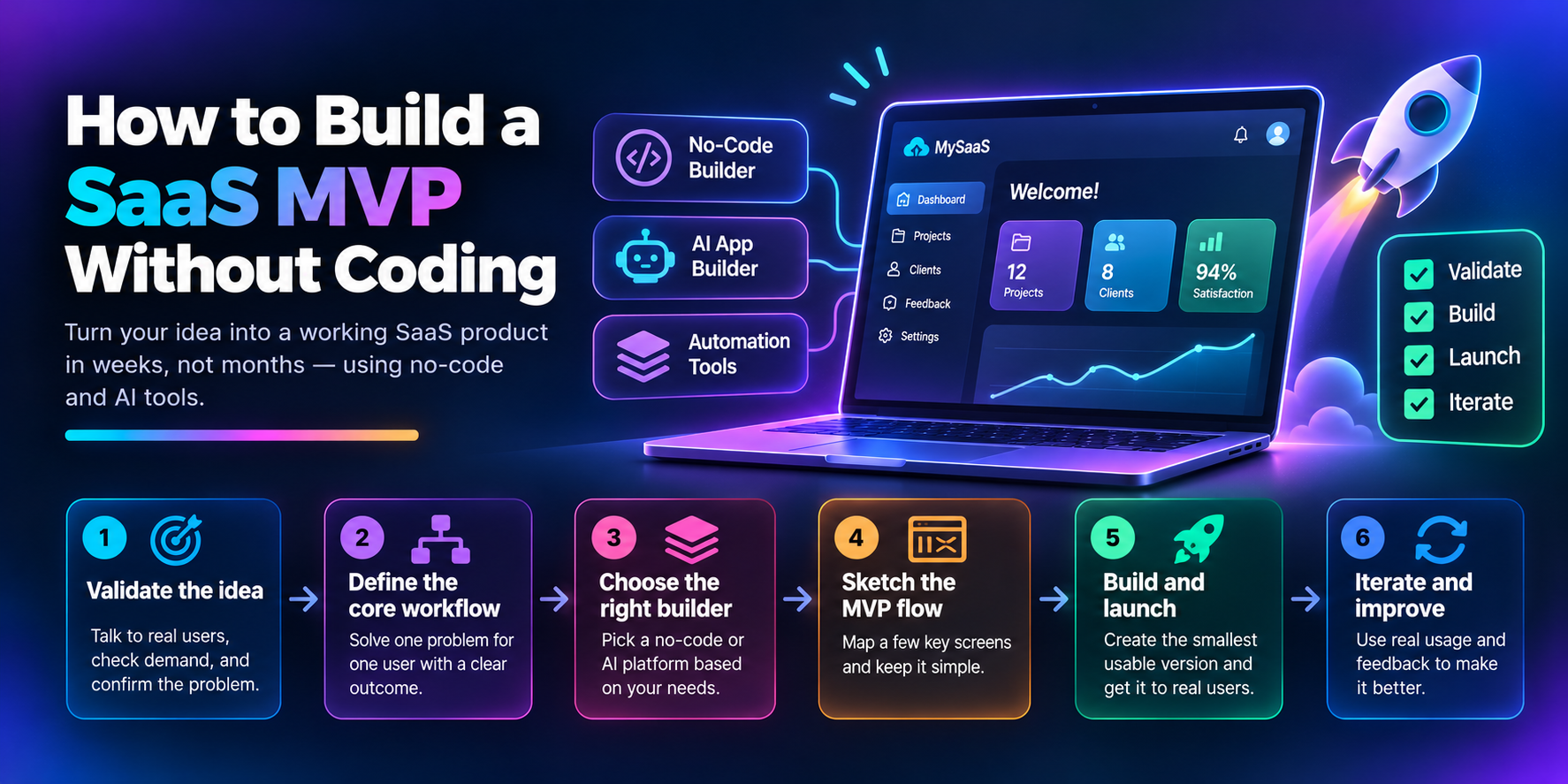
That's part of why teams look at platforms that generate the surrounding system instead of hand-assembling it. Options range from agent frameworks like LangGraph and CrewAI to app builders like Replit and Lovable. 8080.ai is one example in the agentic coding space: coordinated AI agents handle architecture, code, tests, and deployment from a single prompt (8080 on DEV), and the platform produces a system requirements document before any code is written (DEV overview).
The reason that pattern resonates with developers is practical. For anything customers will talk to, you want to review the plan and the structure first, so you know what you're shipping and where the escalation path lives. Whatever tools you choose, the same questions apply: What is the scope? Where does the knowledge come from? When does a human take over?
Where AI Helps and Where You Stay Responsible
AI is well suited to answering routine questions, retrieving from the knowledge layer, and routing complex cases. You stay responsible for validating accuracy, keeping content current, defining escalation rules, handling sensitive situations, and owning the quality bar over time. AI can assist with improvement and deployment, but people decide when the agent is ready and what it should never do.
Pitfalls Worth Avoiding
Trusting output blindly is the first one. Answers can be wrong or misleading, so review and test before launch and keep sampling afterward. A weak knowledge base is the second: the agent turns generic or wrong, and the fix is to build and maintain the content deliberately. Skipping escalation leaves customers stuck, so define clear rules early. And launching without monitoring lets quality drift quietly, so track resolution, escalation, and satisfaction from day one.
Wrapping Up
A good support agent is mostly decisions: what it's allowed to do, what it knows, and when it steps aside. Whether you hand-build it, use a framework, or generate the surrounding application with a platform like 8080.ai, the same decisions apply. Get them right, keep humans one step away, and the agent becomes something customers trust instead of something they work around.
Comments
Join the discussionThe escalation section is the part I'd test hardest before launch. One practical way to do it: export 100 real tickets from the last month, tag each one as answerable from the knowledge base, needs account data, or needs a human, and replay them through the bot. Your target is simple: the bot answers the first group, and hands off the other two without guessing.
A prompt line that helps a lot: "If the retrieved passages don't directly answer the question, say so and offer a handoff. Never infer prices, refund terms or dates." Then make the handoff carry context, with a three-line summary of the issue, what was already tried, and the customer's sentiment, so people never have to ask the customer to repeat themselves.
Finally, track two numbers weekly: deflection rate and reopen rate. If deflection climbs but reopens climb too, the scope is too wide.